Ajouter le contrat Be50 sur votre portefeuille Metamask
Vous n’avez pas encore Metamask, suivez la procédure pour installer Metamask sur Chrome encliquant ICI.
Afin de pouvoir visualiser vos tokens Be50 sur votre portefeuille Metamask, il est parfois nécessaire d’ajouter le contrat manuellement pour qu’il apparaisse. Vous trouverez ci-dessous la procédure afin d’ajouter le token Be50.
Etape 1
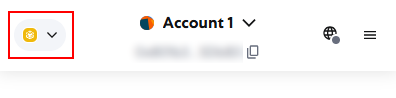
Pour commencer vous devez être sur le réseau Binance comme dans l’image ci-dessous.
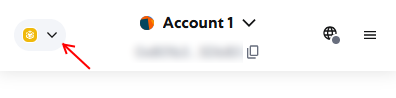
Si ce n’est pas le cas, cliquez sur la petite flèche.
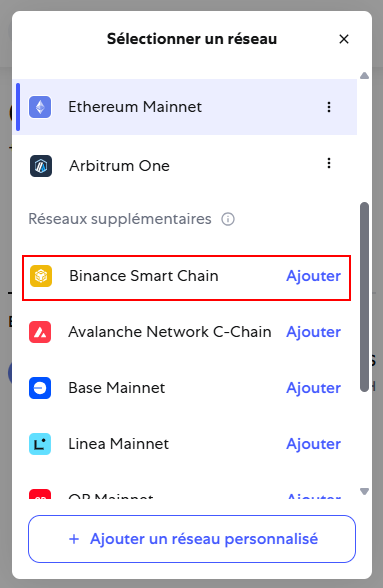
La fenêtre de sélection va s’ouvrir et vous afficher la liste des réseaux déjà enregistrés et en dessous la liste des réseaux supplémentaires. Dans la liste des réseaux supplémentaires, sur la ligne Binance Smart Chain, cliquez « Ajouter » (cadre rouge sur l’image).
Etape 2
Maintenant que vous êtes sur le réseau Binance Smart Chain, vous allez pouvoir ajouter le token Be50. Si vous ne voyez pas le jeton apparaitre dans la liste de vos jetons, continuez la procédure.
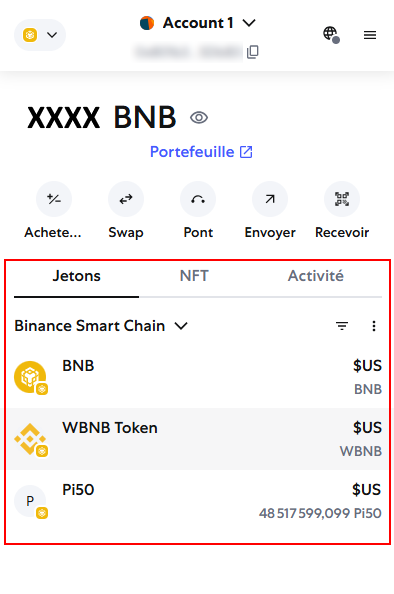
Pour commencer, cliquez sur « Jetons ».
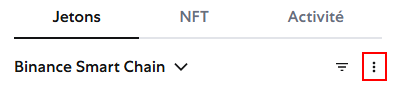
Ensuite, cliquez sur les 3 petits points en dessous de « Activité » (encadré en rouge) et sélectionnez « Importer des jetons » dans la petite fenêtre qui apparait.
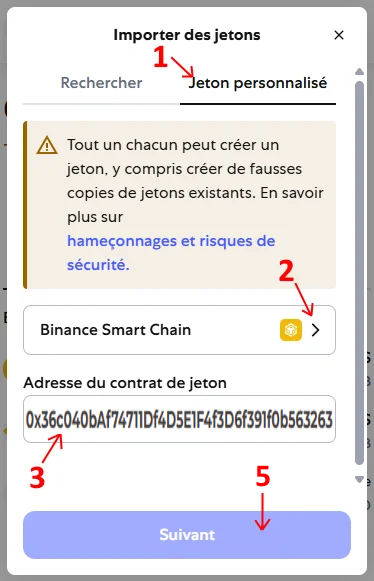
Suivez les étapes ci-dessous :
Sélectionnez « Jeton personnalisé »
Sélectionnez le réseau « Binance Smart Chain »
Saisissez l’adresse du contrat Be50 : 0x36c040bAf74711Df4D5E1F4f3D6f391f0b563263
Après avoir saisi le contrat, vérifiez en dessous que le symbole est bien « B50 » et que le nombre de décimale est bien « 18 »
Cliquez sur suivant pour terminer et ajouter votre jeton Be50.
RAPPEL
Dans votre portefeuille Metamask, vous pouvez recevoir sans frais des cryptos et des tokens que les personnes vous envoient. Par contre lorsque vous souhaitez envoyer des jetons, vous devez vous acquitter des frais de gas du réseau (Ethereum, binance, etc…).